A live display at every table.
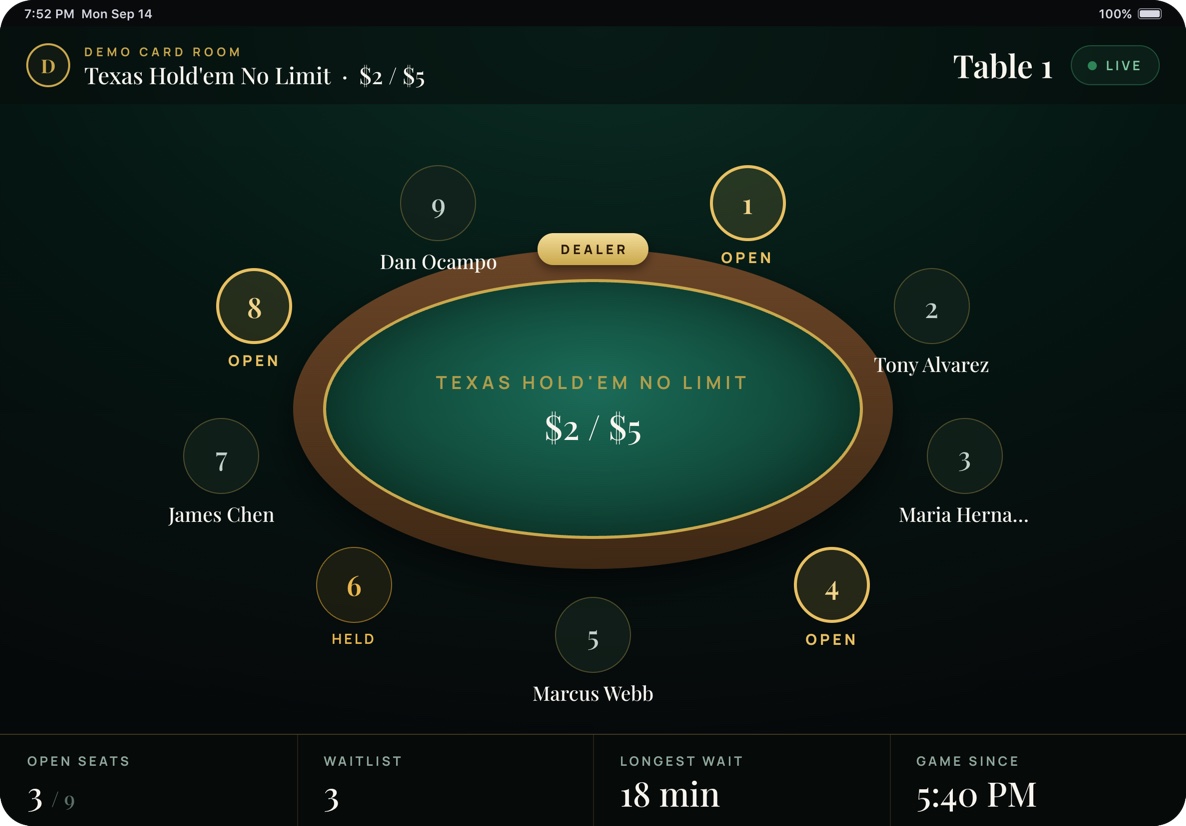
Mount an iPad at each table. It shows the live seat map with names, open seats, the waitlist count and longest wait for that game. During a tournament it shows the clock, blinds and the seats at that table.
Paired, not signed in
A Room Admin pairs each kiosk with a one-time code from the back office. No one signs in at the table and nothing beyond that table is reachable from it.
Cash game display
Seat map, game, stakes, open seats, waitlist and game start time. The felt and rail colours match the table.
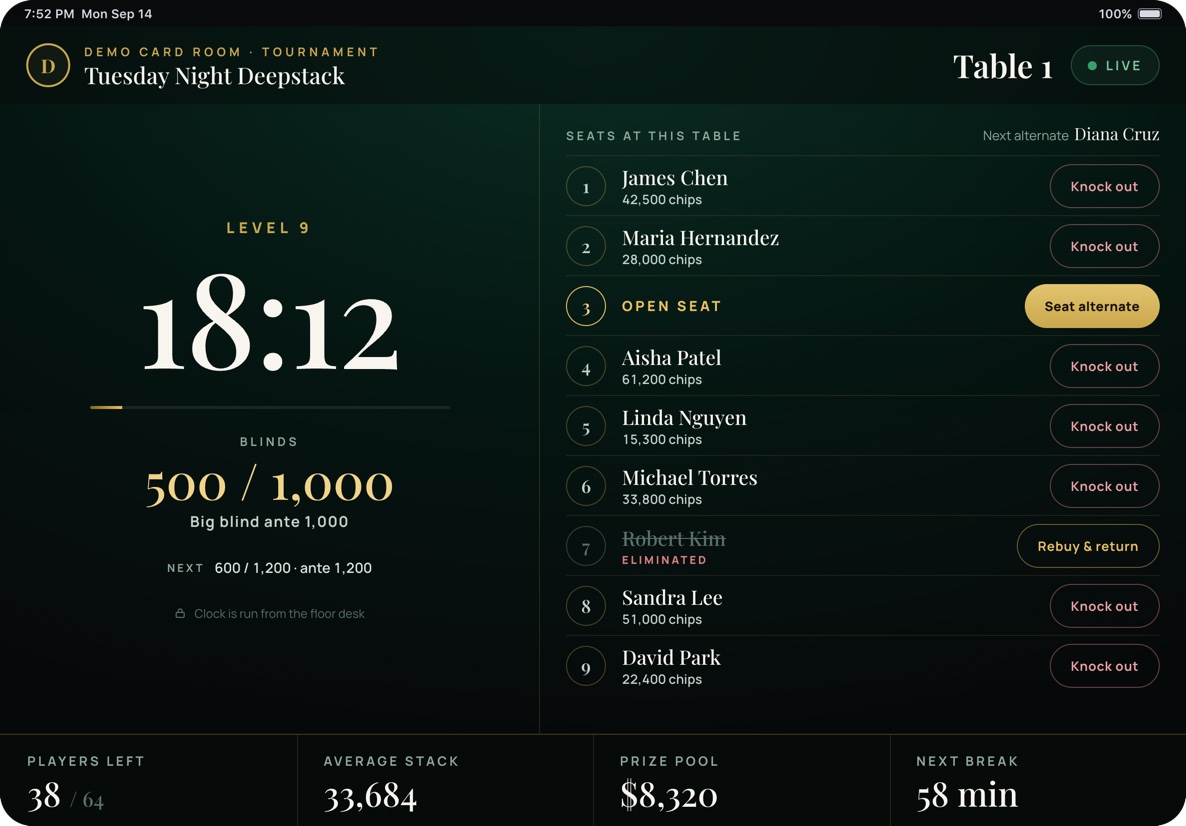
Tournament table display
Clock and blinds on the left, seats on the right. Dealers record knock outs, rebuys and seat the next alternate. The clock itself is run from the floor desk.
Locked down
The kiosk runs full screen. Pair it with Guided Access or your MDM to keep it on the app.
Knock outs and alternates, at the table.
When a tournament runs on a table, its kiosk switches to tournament mode. Players left and prize pool in the footer update across the room as each table records a knock out.
Bring us your busiest Friday.
Forty-five minutes, your table mix and your list. We'll run it live and show you what the audit record looks like afterwards.